Smooth PC gaming is more than just hitting high frame rates. It’s about consistent performance, stable frame pacing, fast load times, responsive controls, and minimal stuttering. Many gamers experience lag, freezes, or sudden FPS drops even when their PC meets the recommended requirements. The culprit is often a hardware bottleneck or system imbalance that prevents your computer from running games optimally.
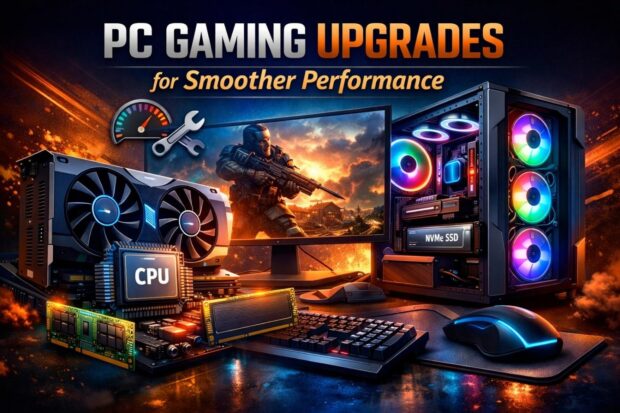
If you’re asking what to upgrade for smoother PC gaming, this guide explains the components that impact performance most, how they affect your gameplay, and how to prioritize upgrades for real-world results without unnecessary spending.
Meanwhile, if you decide to tap into the fun world of Pusoy play, visit GameZone now!
Understanding Smooth PC Gaming
Smooth gaming isn’t measured only in FPS numbers. A game locked at a stable 60 FPS often feels smoother than one fluctuating between 90 and 120 FPS. Smooth gameplay requires:
- Stable frame delivery
- Minimal stutter and micro-freezes
- Low input latency
- Quick loading of textures and assets
- Stable performance during long gaming sessions
When one component struggles, the entire system suffers. The goal of upgrades is to remove bottlenecks so all components work together efficiently.
1. Graphics Card (GPU): The Most Critical Upgrade
The GPU is the most important component for gaming performance. It handles all rendering tasks, including textures, shadows, lighting, and effects.
Why a GPU upgrade improves smoothness
- Higher average and minimum FPS
- Better performance at 1080p, 1440p, and 4K
- Reduced frame drops in visually complex scenes
- Access to modern features like ray tracing, DLSS, or FSR
Signs your GPU is the bottleneck
- Frequent FPS drops in demanding games
- GPU usage constantly near 100%
- Inability to play on medium or high settings smoothly
For most gamers, upgrading the GPU delivers the fastest improvement in smoothness and overall visual quality.
2. Processor (CPU): Reducing Stutter and Bottlenecks
The CPU handles game logic, AI, physics, and background processes. A weak processor can cause frame-time spikes and inconsistent performance, even with a strong GPU.
How upgrading your CPU helps
- Reduces stutter and frame-time inconsistencies
- Improves performance in CPU-heavy games like simulations or open-world titles
- Prevents GPU bottlenecks
- Enhances multitasking while gaming
When a CPU upgrade is needed
- CPU usage frequently hits 90–100%.
- Games stutter even when FPS is high.
- Multiplayer or open-world games lag during large-scale events.
Modern games benefit from CPUs with higher clock speeds and multiple cores, making a balanced CPU–GPU pair essential.
3. RAM: Eliminating Micro-Stutters
RAM is vital for modern games, which load large assets, maps, and textures into memory. Insufficient RAM forces your system to use slower storage, causing freezes and stutters.
Recommended RAM for smooth PC gaming
- Minimum: 16GB
- Ideal: 32GB for newer titles and multitasking
- Dual-channel configuration for optimal performance
How RAM upgrades help
- Reduces asset-loading stutter
- Prevents crashes or freezes
- Supports multitasking without affecting performance
Upgrading from 8GB to 16GB is often the most cost-effective step toward smoother gaming.
4. Storage: Faster Load Times
Switching from an HDD to an SSD dramatically improves responsiveness. Storage speed doesn’t increase FPS but affects how smooth a game feels.
Benefits of upgrading storage
- Reduced game and level load times
- Faster texture streaming in open-world games
- Improved system boot and update speed
NVMe SSDs offer the fastest speeds, while SATA SSDs still provide a huge improvement over traditional HDDs. Many modern games now recommend SSDs as essential for smooth gameplay.
5. Monitor: Unlocking True Smoothness
Even a high-FPS system feels limited on a low-refresh-rate monitor. Display quality affects how smooth games actually look.
Features to upgrade
- Refresh rate: 144 Hz or higher
- Low response time (1–5 ms)
- Adaptive sync: FreeSync or G-Sync
Upgrading the monitor ensures you experience high FPS visually, reduces motion blur, and lowers input lag, which is particularly important in competitive gaming.
6. Cooling System: Preventing Thermal Throttling
Overheating causes thermal throttling, reducing performance during extended sessions. Efficient cooling maintains stable clock speeds.
Cooling upgrades
- Aftermarket CPU coolers
- Improved case airflow
- Clean or replace thermal paste
- Additional case fans
Better cooling ensures frame rates remain consistent, your components last longer, and noise levels are lower.
7. Power Supply Unit (PSU): Stability and Reliability
While a PSU doesn’t increase FPS, it ensures consistent power delivery. An inadequate PSU can cause crashes or damage hardware. A high-quality PSU supports future upgrades and keeps your system stable under load.
8. VRAM and Resolution Considerations
Video RAM (VRAM) is a key factor for smooth gaming, especially at higher resolutions. Insufficient VRAM leads to texture pop-ins, stuttering, and slowdowns.
- 4GB VRAM is often the minimum for 1080p gaming.
- 6–8 GB VRAM is recommended for 1440p.
- 8–12 GB VRAM helps at 4K or with heavy texture packs
Upgrading to a GPU with more VRAM prevents memory-related bottlenecks and ensures games run smoothly at higher resolutions.
9. Input Devices and Peripherals: Overlooked Performance Factors
Even with high FPS, laggy or unresponsive peripherals can reduce perceived smoothness.
Recommended upgrades
- High-polling-rate gaming mouse
- Mechanical keyboard with low latency
- Wired or low-latency wireless controllers
Upgrading peripherals improves responsiveness and overall gameplay feel.
10. Software Optimization: Free Performance Gains
Before investing in hardware, optimizing software can often improve smoothness for free.
Tips for optimization
- Update GPU drivers regularly
- Enable XMP/EXPO for RAM
- Adjust in-game settings to balance performance
- Close unnecessary background apps
Software optimization can reduce stuttering and improve FPS consistency without hardware upgrades.
11. Future-Proofing Your PC
When upgrading for smoother gaming, consider future needs:
- Newer titles may require more CPU cores or VRAM.
- SSD requirements are increasing.
- Higher-refresh-rate monitors are becoming standard.
Future-proofing ensures your system remains smooth and responsive for years, reducing the need for frequent upgrades.
Final Thoughts: Upgrade Smart for Smoother PC Gaming
When deciding what to upgrade for smoother PC gaming, focus on bottlenecks rather than chasing expensive components. For most gamers, GPU, CPU, and RAM deliver the largest improvements. SSDs, monitors, cooling systems, VRAM, and peripherals enhance consistency and responsiveness. Software optimization and proper system maintenance can also boost performance for free.
Smooth PC gaming is about balance, stability, and responsiveness. Strategic upgrades and optimizations will allow you to enjoy immersive gameplay, faster load times, stable FPS, and minimal stuttering—without unnecessary spending.